Pause & Resume services

To pause your services for specific time period

  • Step 1 icon
    Step 1
    Pause services by seeking assistance from Get Help BOT
  • Step 2 icon
    Step 2
    In case of Multi-TV connection- choose if you want to suspend whole account or just one box
  • Step 3 icon
    Step 3
    Select the period for which you want to suspend the account

To pause your services for undefined time period

  • Step 1 icon
    Step 1
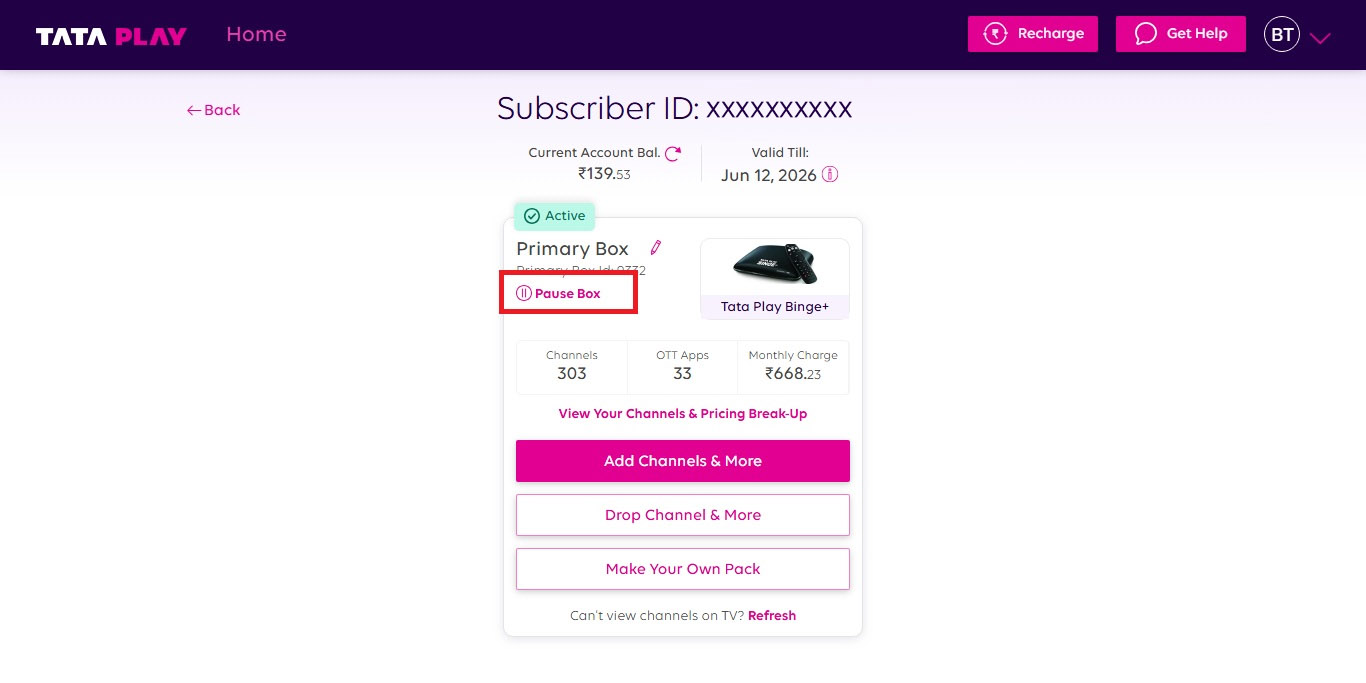
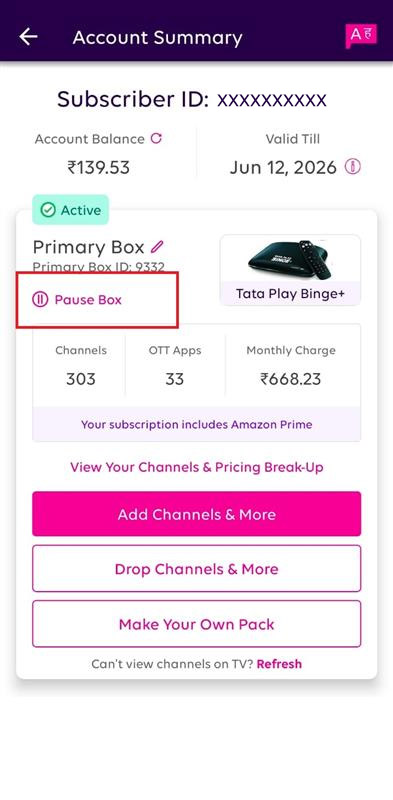
    Visit the Manage pack section
  • Step 2 icon
    Step 2
    Choose on "Pause Box" option
Manage Pack
 

Related FAQs

  • My account status shows deactive. How to activate my account and watch TV channels?

    Your account is deactivated as your account balance is zero. To watch your favourite shows, manage your pack and modify account details. Recharge here

  • I have suspended/ paused my services, but the service is still active

    Please note that the services will be suspended/ paused from the next day starting 00:00 post suspension/ pause

  • How do I resume my set top box?

    To resume your account:

    • Visit the Get Help section and seek assistance from our Get Help Assistant. Choose the ‘Account & Profile’ section, where you will get the Resume My Service option.OR
    • Visit the Manage Pack section and click on "Resume box"

    Please note:​ If you are unable to view the services post resumption, click below: Refresh Services

Chat with Assistant

Need more help?

Chat with Assistant