

Quick search to help you

Most Frequently asked questions

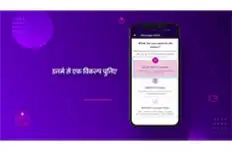
  • What are the various ways in which I can recharge my account?
    You can choose any of the below options to recharge conveniently:
    • Online on our Quick Recharge page.
    • Anytime, anywhere recharge with the Tata Play Mobile App.
    • Contact your local authorized partner for a recharge voucher or pay using can electronic Top Up.

    Payment options:​

    • There are various payment options for you to choose from, such as Credit Card, Debit Card, Net Banking, UPI, Wallets, Bharat QR, LazyPay, and PayPal.​
    • Auto debit – This means you authorise Tata Play to debit your bank account/credit card for a fixed amount of Rs 500 each time your Tata Play account balance reaches Rs 200. To register for this facility, download the Auto Debit Form, fill it in triplicate and mail it with all the relevant documents to: Tata Play Ltd. Auto Debit Request P.O. Box 2424 Bangalore 560024​
  • How to access Tata Play Remote?

    Keep the control of your TV in your hands. Click here  to understand access of tata play remote.

  • My account status shows deactive. How to activate my account and watch TV channels?

    Your account is deactivated as your account balance is zero. To watch your favourite shows, manage your pack and modify account details. Recharge here

Self-help videos, tips, tricks, and more

Watch these easy-to-follow videos and get quick fixes to your issues right away

Videos available in 2 languages
 

Read what others usually ask us

Get your answer in our Frequently Asked Questions (FAQs)​

  • How can I change/update my Registered Mobile Number?​

    Tata Play website – To change/update Registered Mobile Number in a few easy steps, click here.

  • Why have my channels disappeared after recharge or pack change?
    1. First, check if your recharge was successful (look for an SMS confirmation).
    2. Keep your Set Top Box switched on during the recharge or pack change so the activation signal can reach it.
    3. Verify that your pack includes those channels. You can check this in the Tata Play Mobile App by going to Manage Pack > View Channels & Pricing.


    You can try the following options to refresh your channels. Ensure your TV is switched on before trying any of the options below:

    • Open the Tata Play Mobile App and go to My Account > Refresh My Channels.
    • Give a missed call from your registered mobile number to 08061999966.
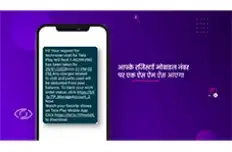
    • Send “Hi” to our WhatsApp number 1800 208 6633 to refresh your channels.
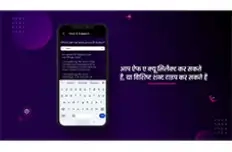
    • Chat with us and select “Refresh” from menu to refresh your channels.
  • How can I suspend my Tata Play account/asset?

    Tata Play website – To suspend your Tata Play Account/Asset in a few easy steps, click here

  • How can I make my secondary box as primary?

    Tata Play website – To make my secondary box as primary in a few easy steps, click here

  • How to access Tata Play Remote?

    Keep the control of your TV in your hands. Click here  to understand access of tata play remote.

  • My account status shows deactive. How to activate my account and watch TV channels?

    Your account is deactivated as your account balance is zero. To watch your favourite shows, manage your pack and modify account details. Recharge here

Did the above FAQs help answer your query?
  • Yes
  • No
Thumbs Up CocoThanks! We're glad we could help.
Thumbs Down Coco
Call us at 020 6814 6633 / 020 6815 6633 for further assistance.

WhatsApp for instant support

To assist you better and keep you updated, we are now on WhatsApp too

We are now on WhatsApp

English Hindi Refer And Earn

Get instant updates, assistance, manage your account and do much more - quickly & easily!

Register now >
Whatsapp Banner

We’re always ready to help you

Use any of these channels to contact us

Live Chat

Chat

Chat with our agents right away

Relocation Services


We’ll relocate your Tata Play connection to your new address

Dealer Locator


Regd. Office Address


Tata Play Ltd.

Unit 301 to 305, 3rd Floor, Windsor Off, C.S.T. Road, Kalina, Santacruz (East), Mumbai 400098.

View Details of Nodal Officer